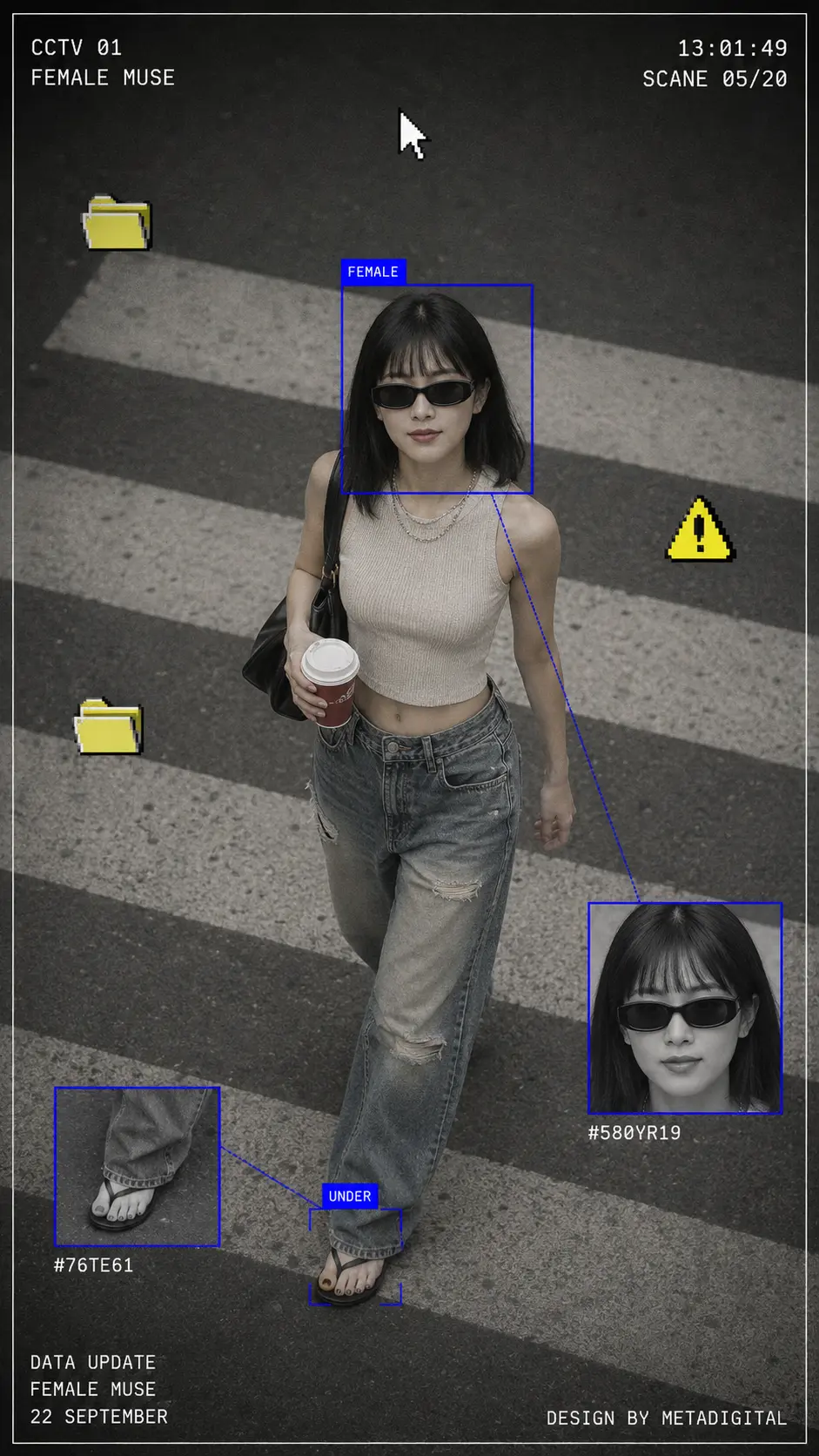
Using the attached photo as the subject, create a vertical portrait image (9:16 ratio) in a CCTV surveillance moodboard aesthetic, styled like a lo-fi digital street surveillance capture of a stylish woman.

PHOTOGRAPHY BASE:
- Simulate a high-angle CCTV camera perspective (bird's eye, slightly above), full body shot
- Subject walking on a zebra crossing / pedestrian crosswalk, shot from above
- Photo tone: heavily desaturated, muted gray-beige palette, slightly grainy — resembles old CCTV footage or a faded film scan
- The subject's face must match EXACTLY the face in the reference photo — preserve all facial features, skin tone, and likeness with 100% accuracy

SUBJECT STYLE (keep consistent):
- Black straight hair, chin-length with blunt bangs
- Wearing dark oversized sunglasses (narrow rectangular frames)
- Beige/cream ribbed sleeveless crop top
- Baggy distressed mid-wash denim jeans
- Simple black thong sandals/flip-flops
- Carrying a red paper coffee cup in one hand, black shoulder bag on the other
- Chain necklace visible

SURVEILLANCE UI OVERLAY ELEMENTS (render these as graphic overlays on top of the photo):
1. A thin white rectangular border frame around the entire image edges
2. Top-left corner text in white monospace/typewriter font, uppercase: "CCTV 01" on first line, "FEMALE MUSE" on second line
3. Top-right corner text in white monospace font: timestamp (e.g. "13:01:49") on first line, scene code (e.g. "SCANE 05/20") on second line
4. A bright electric blue (#1400FF) thin bounding box rectangle drawn around the subject's head/face area, with the label "FEMALE" in white text on a solid blue background tab at the top of the box
5. A second inset thumbnail box (bottom-right area) in bright blue border — a close-up grayscale crop of the subject's face and neck, with a small alphanumeric code nearby (e.g. "#580YR19")
6. A third inset thumbnail box (bottom-left area) in bright blue border — a close-up crop of the subject's sandals, with a small code (e.g. "#76TE61")
7. Blue diagonal connector lines linking each inset thumbnail back to its corresponding area on the main body
8. A blue label tag "UNDER" near the feet area of the main subject
9. A pixelated 8-bit yellow folder icon (Windows 98 style) floating on the left side of the image — appear twice at different positions, slightly different sizes
10. A pixelated yellow warning triangle icon ⚠ (8-bit style) floating on the right side, mid-image
11. A white retro mouse cursor arrow icon overlaid near the upper-center of the image
12. Bottom-left corner text block in white monospace, three lines: "DATA UPDATE", "FEMALE MUSE", "[date, e.g. 22 SEPTEMBER]"
13. Bottom-right corner small text: "DESIGN BY METADIGITAL"

TECHNICAL REQUIREMENTS:
- All UI text must use a monospace or OCR-style font
- Bounding boxes and connector lines: bright blue neon (#1400FF), thin stroke (~1.5px weight)
- The inset thumbnails show the same subject in grayscale/lower saturation
- The overall photo maintains a muted, desaturated CCTV aesthetic — not vibrant or HDR
- Pixel art icons (folder, warning sign, cursor) must have visible pixel grid, retro 8-bit look
- Portrait orientation, full body visible, clean composition
- IMPORTANT: Do not alter the subject's face — maintain exact likeness to the reference photo throughout every regeneration

STYLE KEYWORDS: Y2K aesthetic, vaporwave surveillance, lo-fi digital editorial, Windows 98 UI overlay, Japanese street fashion photography, glitch art moodboard, female fashion CCTV portrait