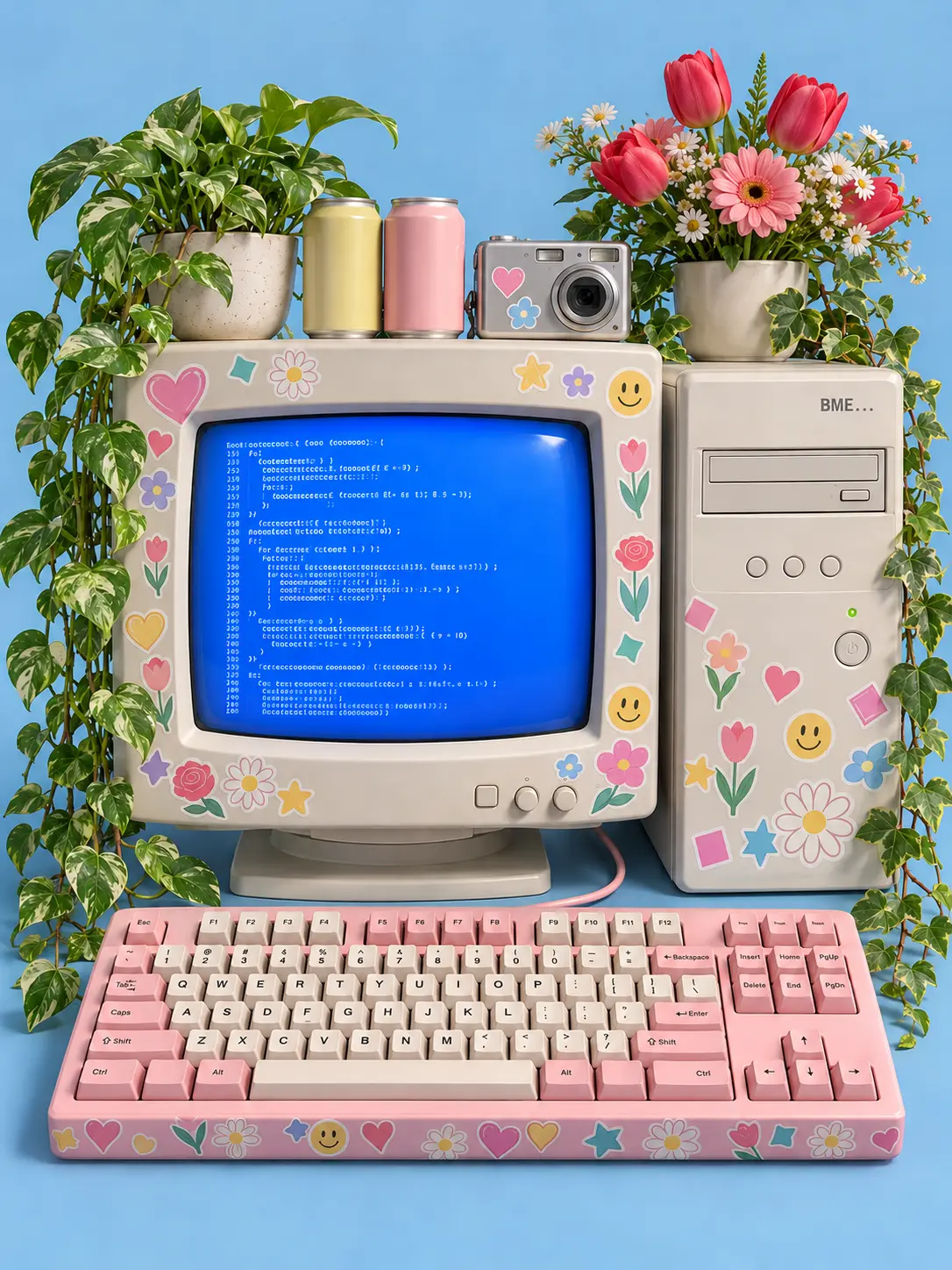
Create a 3:4 vertical image: a high-detail 3D-rendered retro Y2K computer setup, centered and perfectly symmetrical, on a flat solid soft pastel blue background. Clean C4D style, Octane render look, PBR materials, matte plastic finish, soft studio lighting with gentle soft shadows, nostalgic 90s tech mood, cute and playful, 8K detail.

OBJECTS (each must appear exactly once unless a count is given):

1. CRT MONITOR (center): vintage beige CRT monitor with a thick rounded bezel, a slightly curved glass screen, and a small power button and two tiny knobs below the screen. The screen is bright blue and shows lines of small, white monospaced pseudo-code. Render the code as clean, evenly spaced, left-aligned lines of tiny text; it should look like code but stay unreadable. Only use real, correctly formed characters (letters, numbers, brackets { } ( ) ; = ) with no warped, melted, or invented glyphs. No large readable words on the screen.

2. PC TOWER (beside the monitor): white desktop PC tower with one disc drive slot (CD/DVD tray), a row of 3 small control buttons, and a small power button with a tiny LED. In the top right corner of the case front, the text "BME" followed by three dots, spelled exactly: B, M, E, then "...". Use clean sans-serif, uppercase, perfectly legible, no extra letters.

3. KEYBOARD (in front of the monitor): retro pink mechanical keyboard with a standard QWERTY layout in correct key order: number row 1 2 3 4 5 6 7 8 9 0, then Q W E R T Y U I O P, then A S D F G H J K L, then Z X C V B N M, plus a long space bar. Every keycap has one correct, centered, crisp printed character in a consistent font. Include the correct punctuation keys (comma, period, slash, semicolon, apostrophe, brackets). Include Enter, Shift, Tab, Caps, Esc, Ctrl, and Alt keys. Keys are evenly spaced and aligned in straight rows. No duplicated, missing, mirrored, or random characters. If any key cannot be rendered legibly, leave it blank rather than showing wrong symbols.

4. STICKERS: the monitor bezel, PC tower, and keyboard sides are covered with glossy die-cut stickers with thin white borders: flower stickers (daisies, tulips, small roses), hearts, squares, stars, and smiley faces, in pastel pink, yellow, mint, lavender, and red. Each sticker is a clean, simple shape with flat colors, sharply defined edges, and slightly overlapping like a real sticker collection. Stickers contain NO text, letters, or logos. Do not place stickers on the screen glass or on keycaps.

5. DECOR:
- Top left: a lush green potted plant in a small ceramic pot.
- Top right: a vivid red-pink flower bouquet in a pot.
- One small compact digital camera placed between the plants.
- Two small canned containers sitting on top of the monitor, with plain blank labels (no text).
- Green vines trailing down the left and right sides, symmetrical.

COMPOSITION AND QUALITY RULES:
- Centered, symmetrical layout, all objects fully in frame, nothing cropped.
- Correct perspective and realistic proportions: the monitor, tower, and keyboard sit on one stable surface with soft contact shadows.
- Sharp focus across the whole image.
- Anatomy and structure of objects must be clean: straight edges, no melted shapes, no extra buttons, no duplicated devices, no floating items.
- The only readable text in the whole image is "BME..." on the PC tower, plus the standard keyboard characters. No watermarks, no captions, no random letters anywhere else.